Austria
  Bosnia and Herzegovina
  Bulgaria
  Croatia
  Czech Republic
  Denmark
  Estonia
  Finland
  France
  Germany
  Greece
  Hungary
  Ireland
  Italy
Italy  Latvia
  Lithuania
  Poland
  Portugal
  Romania
  Slovakia
  Slovenia
  Spain
Spain  Sweden
  Switzerland
  United Kingdom
  Ukraine
  China
China  Hong Kong
  India
India  Israel
  Japan
Japan  Malaysia
  Philippines
  Saudi Arabia
  South Korea
  Taiwan
  Thailand
  Turkey
  United Arab Emirates
  Egypt
Egypt  South Africa
  Tunisia
  Canada
  Mexico
  United States
  Brasil
  Colombia
  Australia
  New Zealand
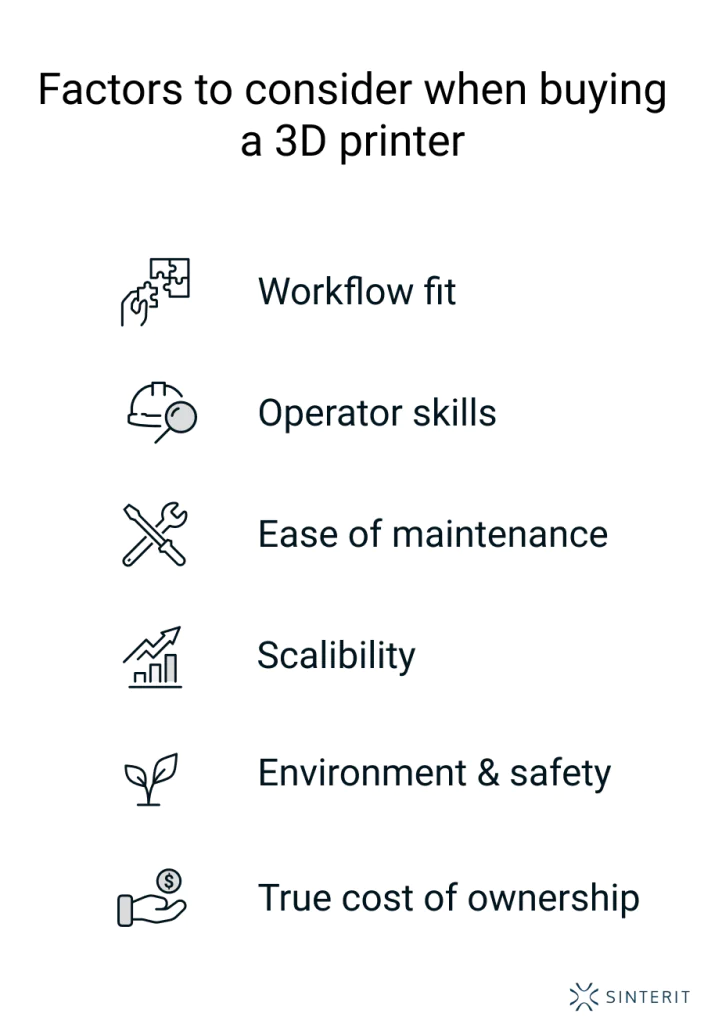
 Factors to consider when buying a 3D printer
Buying a 3D printer isn’t just a technical decision — it’s a strategic one. While it’s tempting to focus on resolution, build volume, or price tags, the real success of your investment depends on factors that often go unnoticed at first. These are the details that determine whether a machine will become a daily tool or an expensive frustration. Below are the expert-level considerations that seasoned users weigh before making a purchase.
Workflow compatibility
It’s not just about what the printer can do — it’s about how it fits into your existing workflow. Does it support your preferred CAD and slicing tools? Will it integrate smoothly with your file management, part-tracking, or quality control systems?
If you’re working in a multi-user or multi-step environment (e.g., R&D, production, education), even small bottlenecks — like file format limitations or awkward firmware updates — can add up to lost time and friction.
Look for printers that complement how you already work, not ones that force you to build a new process around them.
Learning curve and team capacity
Some machines require careful calibration, fine-tuned parameters, and a lot of manual input. Others are more plug-and-play, but less customizable. Choosing between them depends not just on your technical comfort, but on who will actually use the printer.
Are you the only operator? Will others on your team need to run it independently? Do you have the time and interest to dig into firmware, materials, and slicer profiles — or do you need a system that “just works”?
The wrong balance here leads to underutilization or constant dependence on a single expert.
Maintenance ecosystem
Every printer will require upkeep. The key is not how often it breaks — but how easy it is to fix, calibrate, and maintain. Before buying, ask:
- are replacement parts easy to order and reasonably priced?
- is the documentation clear and current?
- how active is the user community or support channel?
- are there built-in diagnostics or auto-maintenance features?
Printers that are easy to service stay in operation longer — and are far more scalable in a professional setting.
Long-term flexibility
A printer should meet your needs today — but also have the headroom to evolve with your work. Does it support firmware upgrades? Can it handle multiple materials or nozzle sizes? Is the slicing engine regularly updated with new features?
Some systems lock you into a rigid ecosystem, while others allow for gradual expansion. If you think your projects will grow in complexity, choose a platform that can grow with them.
Environmental and safety requirements
Professional 3D printing can involve high temperatures, fumes, powders, or photopolymer resins — each with specific environmental implications. Before committing, assess:
- ventilation needs (especially with ABS or resins),
- noise levels and thermal output,
- filtration systems (HEPA, carbon),
- workplace compliance or certification requirements (e.g., CE, FDA, ISO).
Choosing a printer without considering your physical environment can create safety issues, compliance risks, or unexpected infrastructure costs.
Total cost of use, not just cost of purchase
One printer might cost €2,000 and another €6,000 — but the cheaper one could end up costing you more in the long run. Lower-cost systems often require more manual handling, more failed prints, more maintenance, and more workarounds.
Consider:
- time to print and post-process,
- material waste and efficiency,
- failure rate and troubleshooting time,
- support contract options or included training.
The true value of a printer isn’t in its spec sheet — it’s in how much time and frustration it saves you over the next 6 – 36 months.
Learn more about the real costs of owning a 3D printer.
FAQ: factors to consider when buying a 3D printer
Before purchasing a 3D printer, it’s important to understand the different technologies available on the market—such as FDM/FFF, SLA/DLP, and SLS—as they differ significantly in accuracy, surface quality, material compatibility, part durability, and overall workflow. You should also know what level of maintenance each system requires, how complex the learning curve is, and whether the printer is intended for hobby use, engineering prototyping, or full-scale production. Finally, consider the total cost of ownership, including materials, consumables, service plans, spare parts availability, and the long-term stability of the manufacturer’s ecosystem.
Focus on four key areas:
– application – what kind of parts will you produce and what mechanical, thermal, and aesthetic requirements do they need to meet?
– materials – ensure the printer supports materials with the properties your application requires, and check whether those materials are certified, widely available, and affordable,
– build quality and reliability – a well-engineered machine prints more consistently, reduces downtime, and maintains dimensional accuracy over time,
– costs – evaluate not only the purchase price but also material pricing, consumables, energy use, workflow efficiency, and long-term service and support.
Choosing a printer is always a balance of print quality, production speed, ease of use, and operating cost.
Look for a machine with rigid, vibration-resistant construction, reliable thermal management, and a mature software ecosystem that delivers consistent and predictable results. Evaluate the real-world surface quality, dimensional accuracy, and repeatability of printed parts—not just the theoretical specifications. Check whether the manufacturer provides training, responsive technical support, clear documentation, and regular software updates. For professional use, uptime and workflow stability are just as important as print quality.
Before purchasing, check:
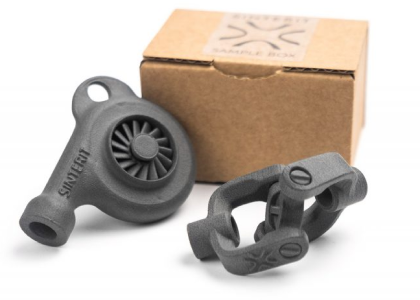
– sample prints produced on the exact printer model you’re considering,
– material availability, certified material profiles, and compatibility with third-party materials (if relevant),
– maintenance frequency and cost,
– calibration requirements and workflow complexity,
– noise level, ventilation needs, and workspace requirements,
-warranty terms, service response times, and availability of replacement parts.
Testing a real printed part is the most reliable way to verify whether the printer meets your expectations.
A good 3D printer delivers high dimensional accuracy, strong repeatability, reliable material performance, and minimal maintenance. It should feature stable mechanical design, advanced software integration, open or well-supported material profiles, and a knowledgeable support team that helps you get the most out of the system. In professional environments, uptime, workflow automation, and predictable performance often matter more than theoretical print speed.
For small-batch or short-run production, consider printers that offer high repeatability, strong mechanical properties, and low per-part cost. SLS technology is often the most efficient choice, because it supports batch production without support structures and produces durable parts with excellent surface quality.
Evaluate:
– how quickly the printer can produce a full build of parts,
– how stable and automated the workflow is,
– per-part cost and material efficiency,
– integration with your production process (quality control, nesting, post-processing),
– scalability if your production needs increase.
SLS systems are particularly well-suited for consumer goods due to their ability to produce many parts in one build with consistent quality.
Explore also
- What to know before buying a 3D printer
- What is the highest quality 3D printer?
- 3D printing comparison
- SLS vs other 3D printing methods: when to choose it
- How to future-proof your 3D printer investment
- What to buy with a 3D printer
Related categories