Sinterit Studio Advanced

ADVANCED SLS PROCESS OPTIMIZATION

Professional SLS software with advanced process-control tools and 56 editable parameters for users who want to optimize print quality, improve process consistency, and gain deeper control over the production process.
Price: 3,500 €

Greater Control Over the SLS Process

Optimize Print Quality
Adjust key process parameters to improve dimensional accuracy, surface quality, thermal consistency, and fine detail reproduction.
Increase Process Flexibility
Work with open profiles, modify printing settings, and adapt the workflow to specific production or application requirements.
Improve Production Consistency
Advanced thermal and process management tools help reduce variability and achieve more stable printing conditions.
Explore More Material Possibilities
Gain access to advanced material workflows and selected third-party material experimentation capabilities.

Sinterit Studio 3D printing software – benefits

Sinterit Studio helps you optimize the entire printing process and gives you many more printing options than competing solutions offer.

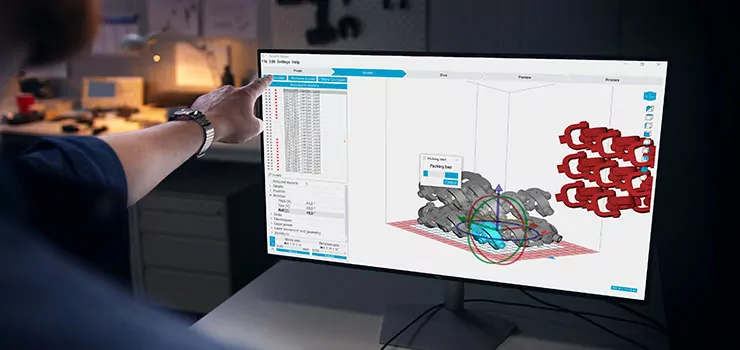
Intuitive interface

Clear steps in our 3D printing software guide you quickly and easily through all printing preparation stages.

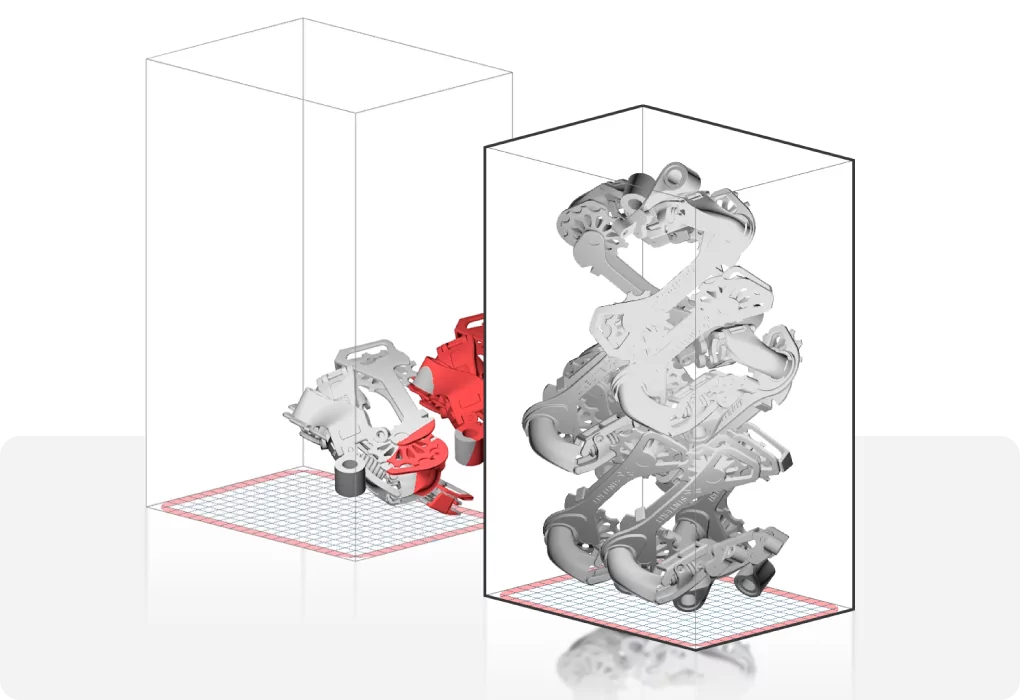
Auto-nesting feature

Use this feature to place multiple models with a few clicks and make this stage even faster.

Open printing parameters

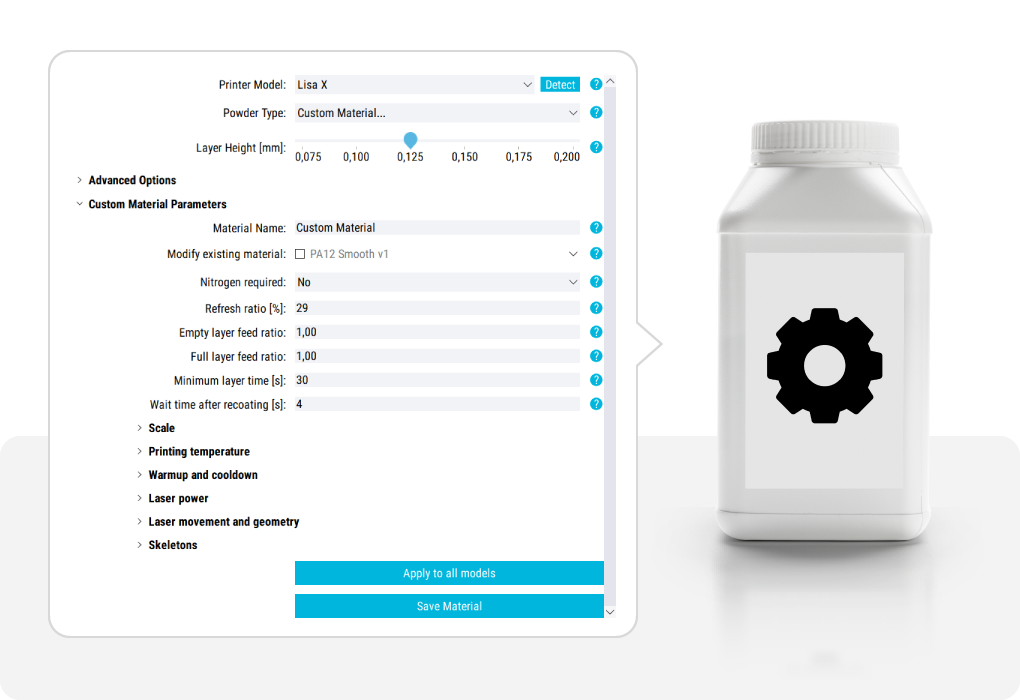
Achieve better mechanical, functional, and aesthetic properties – use 56 printing parameters for pre-defined Sinterit material and custom material profiles.

Move Beyond Standard SLS Printing

Sinterit Studio Advanced expands the standard SLS workflow with powerful optimization and engineering-focused tools designed for users who need more than basic print preparation.

Sinterit Studio Advanced is designed for professionals who want greater influence over the SLS printing process without moving into full experimental material development.
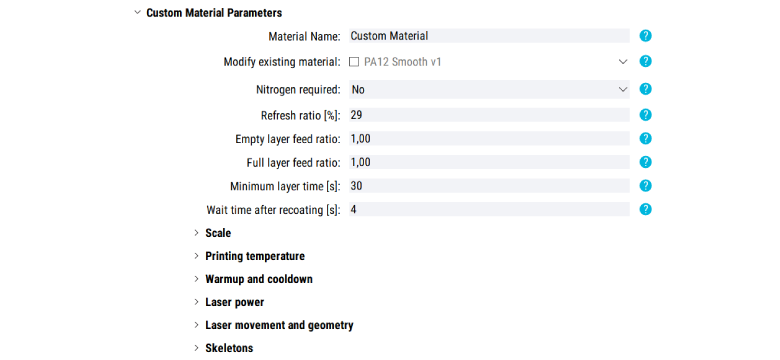
By unlocking access to 56 editable process parameters, the software allows users to fine-tune critical aspects of the printing workflow, optimize production settings, and adapt the process to more demanding applications.

It is the ideal solution for advanced manufacturing teams, engineers, and experienced SLS users looking for better control, higher flexibility, and improved process predictability.

56 Editable Process Parameters

Sinterit Studio Advanced gives users access to 56 adjustable process parameters, enabling deeper control over critical aspects of SLS printing.

Modify and optimize settings related to:

  • printing temperatures,
  • warm-up and cool-down behavior,
  • laser power,
  • laser movement,
  • model scaling,
  • and skeleton generation for enhancing fine details.

This additional level of control helps users better adapt the process to specific geometries, materials, and production requirements.

Designed for Professional SLS Users

Production Engineering Teams
Optimize workflows, improve repeatability, and gain greater process consistency in everyday manufacturing.
Advanced Manufacturing Users
Move beyond standard print preparation with deeper process visibility and adjustable production settings.
Technical Universities & Laboratories
Experiment with process optimization and advanced workflows in educational and research environments.
Experienced SLS Operators
Unlock more advanced process control without moving into full material development environments.

Why do you need Sinterit Studio Advanced?

Sinterit Studio Advanced expands the standard SLS workflow with powerful optimization and engineering-focused tools designed for users who need more than basic print preparation.

Gain access to advanced process settings, thermal management controls, open profiles, and workflow optimization features that help improve print consistency, material flexibility, and overall production efficiency.

Intuitive, easy-to-use software

How does it work?

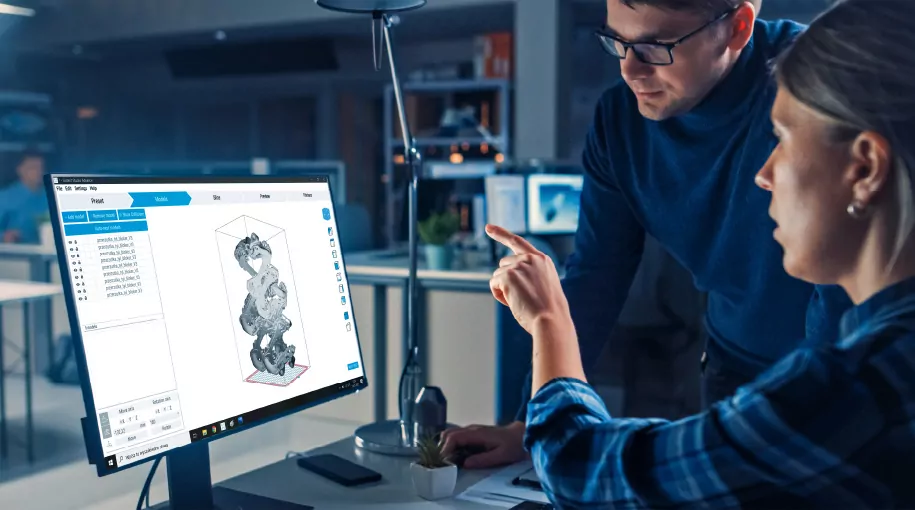
The Sinterit Studio guides you smoothly through the 3D printing process. Find more information about the main steps below.

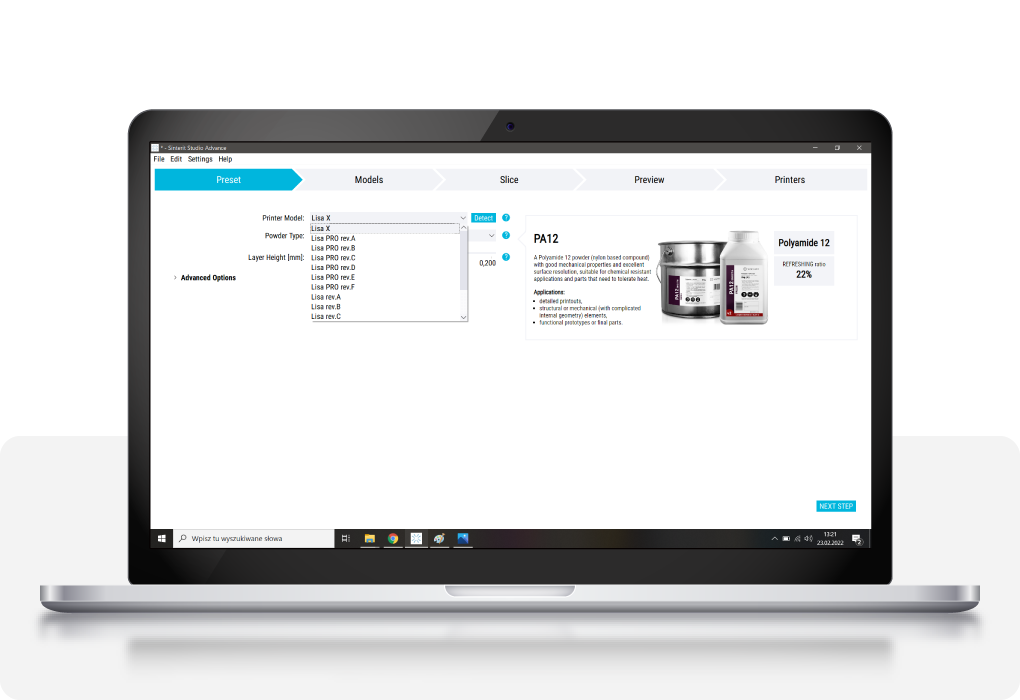
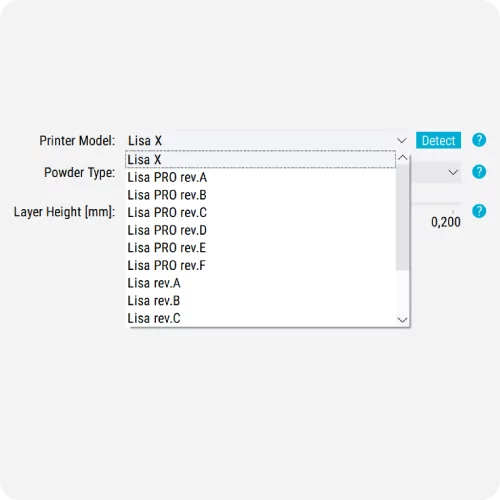
1. STEP – Preset

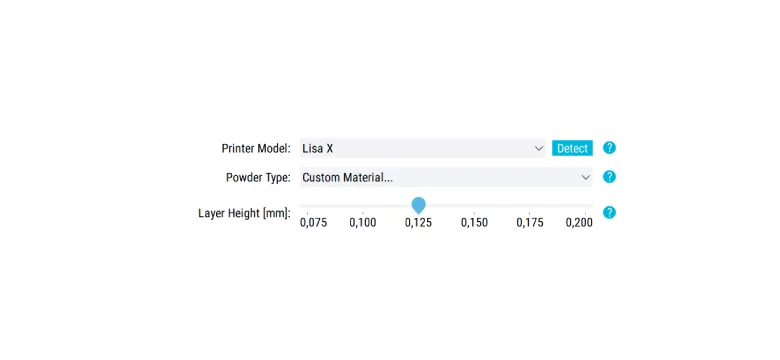
> Choose the printer and its correct revision.
> Find the powder you want to use.
> Define the layer height

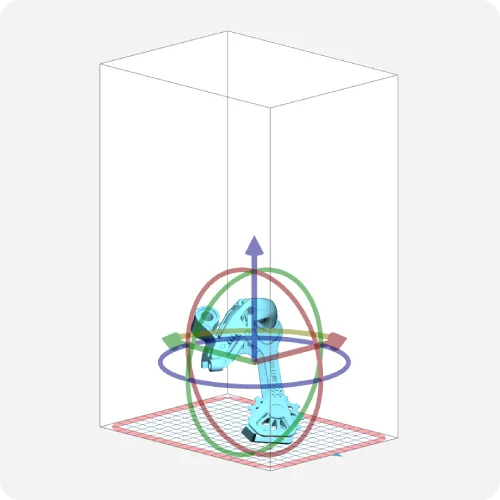
2. STEP – Models

> Upload your model
> Find the correct position and orientation for the model

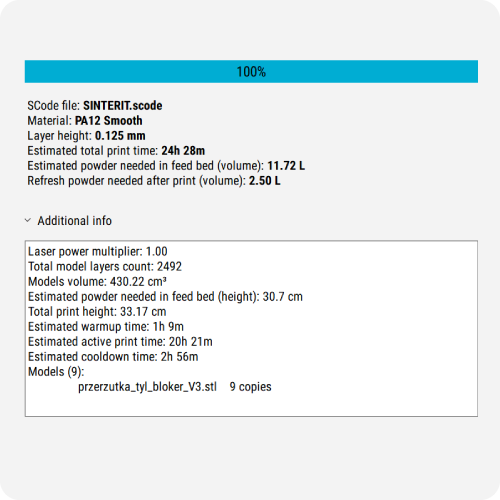
3. STEP – Slice

> Slice your models
> See printing details

4. STEP – Preview

> Track printing process layer by layer

Sinterit Studio functionalities

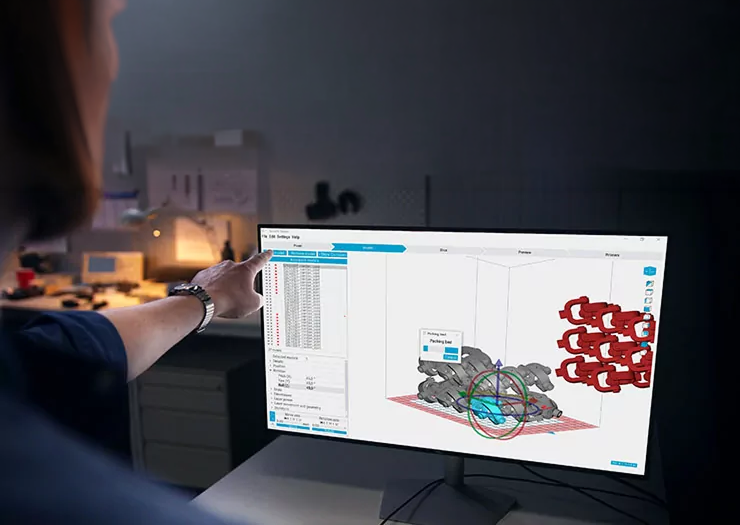
Auto-nesting (auto packing)

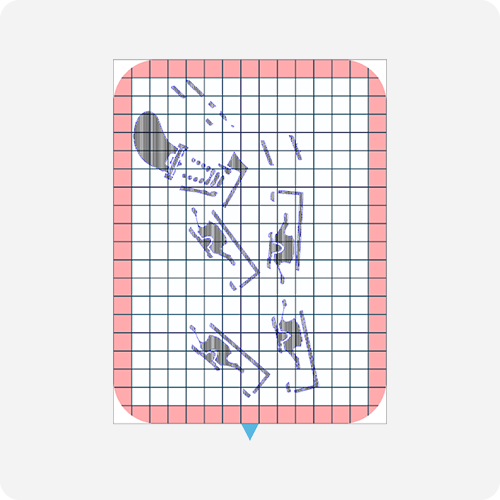
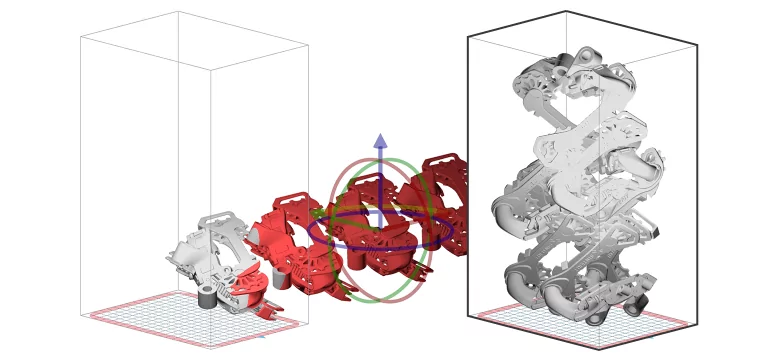
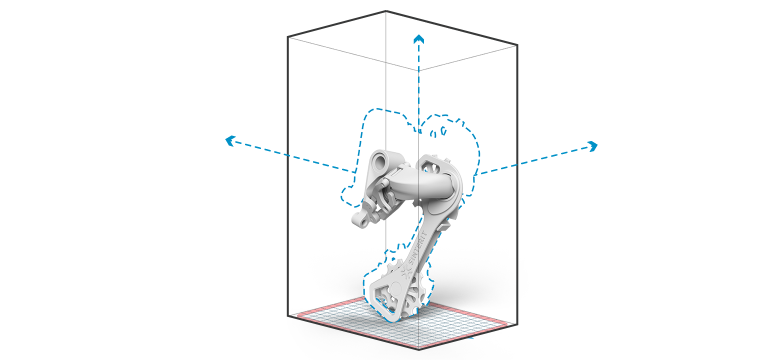
Thanks to the auto-nesting functionality, it’s now possible to automatically and optimally distribute the desired elements within the printer’s chamber.

Slicing

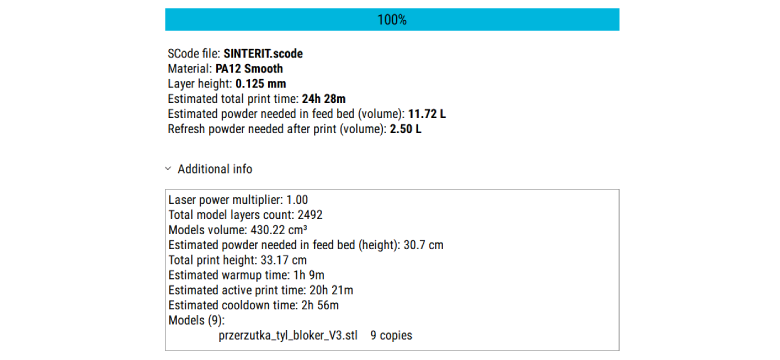
Slicing lets you transform uploaded models into layers so the printer can have clear instructions for how to print. You can also view all layers before starting the print.

Pre-defined profiles for Sinterit materials

All Sinterit materials compatibile with the printers have already set printing parameters so you can simply upload models, slice them and send them to the printer.

56 open printing parameters

If you choose a custom material for your print, or want to change the profiles for Sinterit’s materials, you can use 56 open printing parameters to adjust the mechanical, functional, or aesthetic properties of the print. Save new profiles to use them again.

Model scaling

If you need to rescale an uploaded model, you can simply adjust the scale instead of changing the model in the CAD software.

Changing the layer height

Depending on the design, you may need to adjust the layer height. This impacts precision a little but can be useful when you need prints faster. Other solutions often allow you to only use only a pre-defined layer height.

WiFi connection

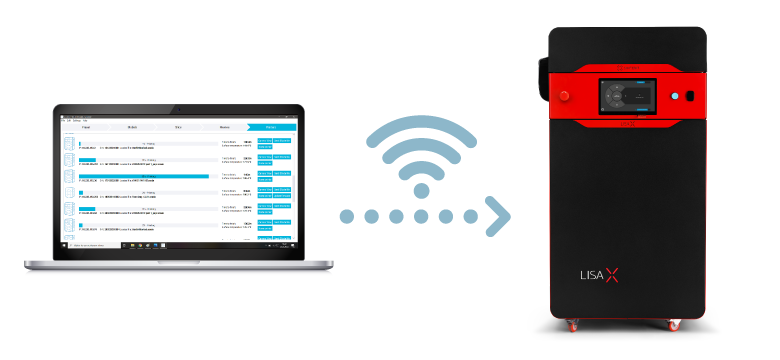
Pair your software with machines. Then, if you want to send models directly to the printer, all you need to do is choose the correct printer in the preset section. Send files is a snap.

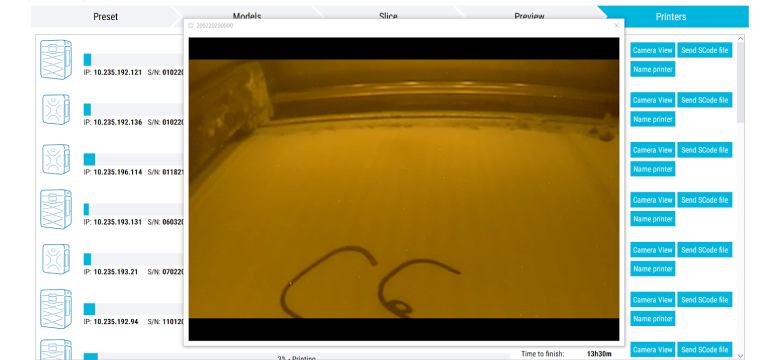
Easy access to printing information for all your printers

All information about printing status and printers is visible in the Printers section.

Need Even More Process Freedom?

Sinterit Studio Ultimate
Material Development Suite for SLS

For users requiring full engineering-level control over the SLS process, Sinterit Studio Ultimate unlocks the complete set of 137 editable parameters.

Designed as a Material Development Suite for SLS, Ultimate enables advanced material development, third-party powder workflows, experimental process strategies, and deep customization capabilities — making it one of the most open SLS systems available on the market today.

Ultimate also includes extensive technical documentation prepared by an experienced Application & Powder Development Engineer, providing expert know-how for advanced process optimization and material development.

Compare Sinterit Studio Software Plans

Choose the right level of SLS control — from standard print preparation to advanced parameter optimization and full material development.
  • Sinterit Studio
  • Sinterit Studio Advanced
  • Sinterit Studio Ultimate
Plan overview
Best for
Standard SLS print preparation
Advanced production optimization
Material development and full process control
Main value
Easy and reliable daily printing
More control over process parameters
The most open SLS system for Sinterit printers
Compatibility
Compatible with printers
SUZY, Lisa X
Lisa X
Lisa X
Basic settings
Slicing
check
check
check
Auto-nesting + collision detection
check
check
check
Changing layer height
check Lisa X only
check
check
Advanced settings and open parameters
Editable process parameters
Standard settings only
56 parameters
137 parameters
Printing temperature modification
Limited, Lisa X only
check
check
Warm-up and cool-down modification
empty
check
check
Laser power modification
Limited, Lisa X only
check
check
Laser movement and geometry modification
empty
check
check
Skeletons for enhancing fine details
empty
check
check
Materials and profiles
Pre-defined profiles for Sinterit materials
Basic Sinterit materials
Extended Sinterit material profiles
Extended Sinterit material profiles + advanced development workflows
Open profiles for Sinterit materials
empty
check
check
Open profiles for 3rd-party materials
empty
Limited / selected workflows
check
Material development suite
empty
empty
Material Development Suite for SLS
Workflow tools
Filling Plot
empty
check
check
Show Layer Lines
check
check
check
Auto-nest from top
check
check
check
Resting models
check
check
check
Expert knowledge and support
Advanced technical documentation
Standard documentation
Advanced documentation
Extensive documentation prepared by an Application & Powder Development Engineer
Open Parameters Masterclass
empty
Optional
Optional, available in special bundle
Price EU
Free
3,500 €
12,900 €
License
Free software
Lifetime license
Lifetime license

    Overcome Your Challenge with the Right 3D Printer

    • Costs of investment

    • Return of investment

    • After Sales Support

    • Printouts Quality

    • Available Materials

    We are determined to help you!

    Let experienced experts and engineers help you make the decision


    FAQ

    What is the difference between Sinterit Studio and Sinterit Studio Advanced?

    Sinterit Studio Advanced expands the standard SLS workflow with access to 56 editable process parameters, advanced thermal management settings, workflow optimization tools, open profiles, and enhanced process control capabilities.
    It is designed for users who want more flexibility and deeper optimization options than standard print preparation software.

    Can I use third-party materials with Sinterit Studio Advanced?

    Sinterit Studio Advanced allows access to selected workflows for experimenting with third-party materials and open profiles for Sinterit powders.
    For full material development capabilities and complete open parameter access, Sinterit Studio Ultimate is recommended.

    What printers are compatible with Sinterit Studio Advanced?

    Sinterit Studio Advanced is compatible with Lisa X printers.

    Does Sinterit Studio Advanced include all features of Sinterit Studio?

    Yes. Sinterit Studio Advanced includes all functionalities available in standard Sinterit Studio, while adding advanced process control tools, workflow optimization features, and access to 56 editable printing parameters.

    Who is Sinterit Studio Advanced designed for?

    Sinterit Studio Advanced is designed for professional SLS users, manufacturing teams, engineers, technical universities, and advanced operators who need greater control over print quality, thermal behavior, and production consistency.

    Does Sinterit Studio Advanced support process optimization?

    Yes. Sinterit Studio Advanced includes advanced workflow and optimization tools such as Filling Plot, Auto-Nest From Top, Cage generation, and open process parameter control to help improve process stability and production efficiency.

    Can Sinterit Studio Advanced help improve print quality?

    Yes. By enabling deeper control over thermal management and laser behavior, Sinterit Studio Advanced helps users optimize dimensional accuracy, improve surface quality, and achieve more stable printing conditions.

    Is Sinterit Studio Advanced suitable for research and development?

    Sinterit Studio Advanced is suitable for process optimization and advanced experimentation workflows. However, for full material development, third-party powder engineering, and complete open parameter access, Sinterit Studio Ultimate is recommended.

    What license model is available for Sinterit Studio Advanced?

    Sinterit Studio Advanced is available as a lifetime license for one workstation.

    Download Sinterit Studio

    Check out the features of our software

    Sinterit Studio provides everything needed to prepare and manage SLS prints in a fast, intuitive, and reliable environment.

    Whether you are starting your journey with SLS technology or running daily production workflows, the software helps streamline print preparation, optimize build organization, and simplify machine operation.

    Built specifically for the Sinterit ecosystem, Sinterit Studio ensures smooth communication between software and hardware for a seamless printing experience.

    Need Help Choosing the Right Software?

    If you have questions about Sinterit software solutions or need help selecting the best option for your workflow, our team is ready to help.

    Pricing

    Below there are approximate costs for some example models.
    Be aware that the quotation assumes that there is only one piece printed. In SLS technology, the cost per part will be much lower with a higher number of elements printed at once.
    • Flexible
    • Standard
    Model
    Dimensions
    PA12
    Smooth
    PA11
    Onyx
    Flexa
    Grey
    Flexa
    Soft
    TPE
    Below
    Model volume:
    Model volume:
    Total print height:
    6.82 cm
    Dimensions:
    65 x 65 x 63 mm
    51,30 €
    51,30 €
    51,30 €
    51,30 €
    51,30 €
    51,30 €
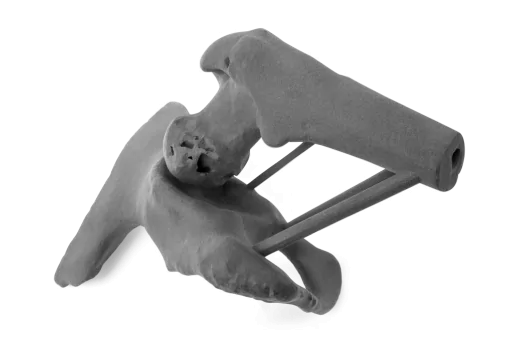
    Crank
    Model volume:
    28.12 cm^3
    Total print height:
    6.82 cm
    Dimensions:
    65 x 65 x 63 mm
    49,90 €
    49,90 €
    49,90 €
    49,90 €
    49,90 €
    49,90 €
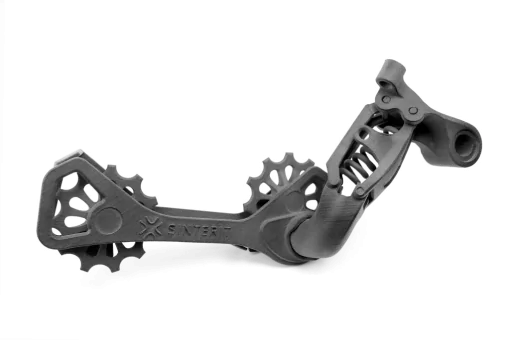
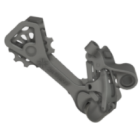
    Derailleur
    Model volume:
    28.12 cm^3
    Total print height:
    6.82 cm
    Dimensions:
    65 x 65 x 63 mm
    71,80 €
    71,80 €
    71,80 €
    71,80 €
    71,80 €
    71,80 €
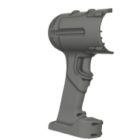
    Driller housing
    Model volume:
    28.12 cm^3
    Total print height:
    6.82 cm
    Dimensions:
    65 x 65 x 63 mm
    157 €
    157 €
    157 €
    157 €
    157 €
    157 €
    Model
    Dimensions
    PA12
    Smooth
    PA11
    Onyx
    Flexa
    Grey
    Flexa
    Soft
    TPE
    Crank
    Model volume:
    28.12 cm^3
    Model volume:
    28.12 cm^3
    Model volume:
    28.12 cm^3
    51,30 €
    51,30 €
    51,30 €
    51,30 €
    51,30 €
    Crank
    Model volume:
    28.12 cm^3
    Model volume:
    28.12 cm^3
    Model volume:
    28.12 cm^3
    51,30 €
    51,30 €
    51,30 €
    51,30 €
    51,30 €
    51,30 €
    Crank
    Model volume:
    28.12 cm^3
    Model volume:
    28.12 cm^3
    Model volume:
    28.12 cm^3
    51,30 €
    51,30 €
    51,30 €
    51,30 €
    51,30 €
    51,30 €
    Crank
    Model volume:
    28.12 cm^3
    Model volume:
    28.12 cm^3
    Model volume:
    28.12 cm^3
    51,30 €
    51,30 €
    51,30 €
    51,30 €
    51,30 €
    51,30 €
    Crank
    Model volume:
    28.12 cm^3
    Model volume:
    28.12 cm^3
    Model volume:
    28.12 cm^3
    51,30 €
    51,30 €
    51,30 €
    51,30 €
    51,30 €
    51,30 €
    Crank
    Model volume:
    28.12 cm^3
    Model volume:
    28.12 cm^3
    Model volume:
    28.12 cm^3
    51,30 €
    51,30 €
    51,30 €
    51,30 €
    51,30 €
    51,30 €

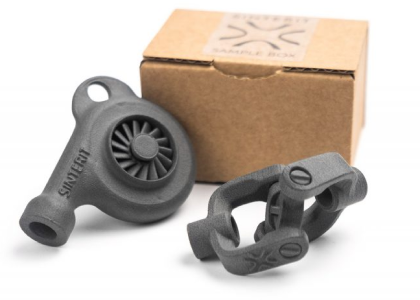
    Get a free sample box

    Universal joint + turbine
    The free samplebox contains two printouts made from PA12 Smooth. They are both movable designs, and each one is printed in one piece.

    These are examples showing high precision and freedom of design ensured by SLS technology.
    order free sample box
    Mamy też advanced samples orci varius natoque penatibus et magnis dis parturient montes, nascetur
    ridiculus mus. Aliquam id placerat nunc. Integer viverra, arcu vel feugiat viverra, dui purus sodales libero.
    SEE ADVANCED samples
    This product includes GeoLite2 data created by MaxMind, available from https://www.maxmind.com.