3D Printers
SLS 3D Printers
Peripherals
Printers ecosystem


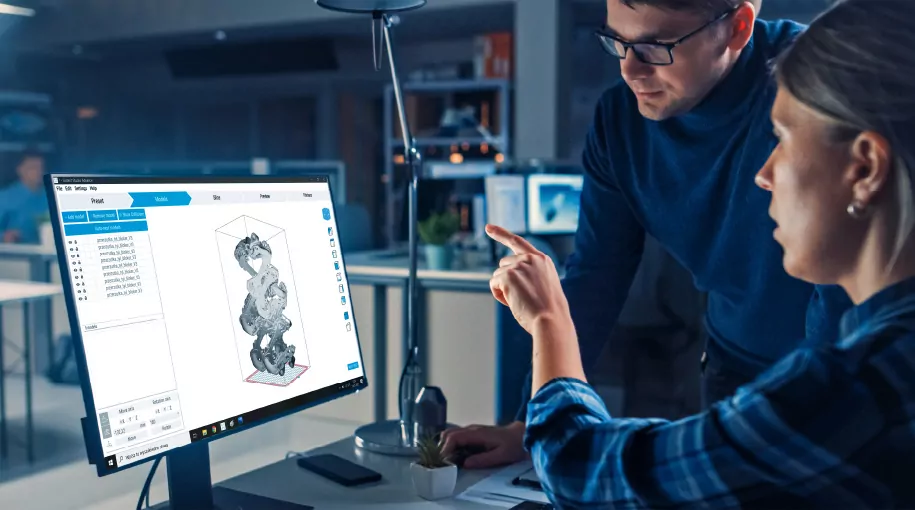
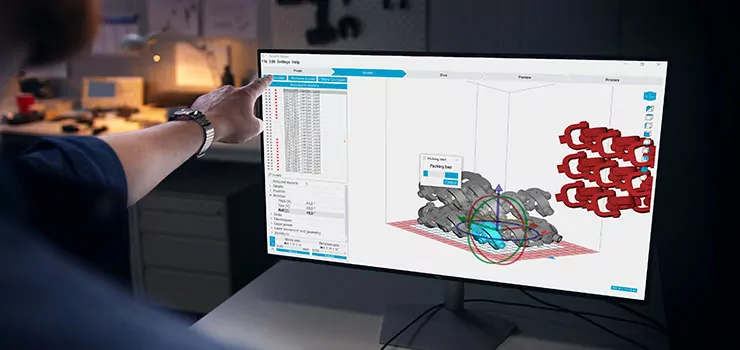
Prepare, arrange, and manage your SLS prints with software built to simplify everyday production while giving users the flexibility and control required for professional additive manufacturing workflows.
Clear steps in our 3D printing software guide you quickly and easily through all printing preparation stages.
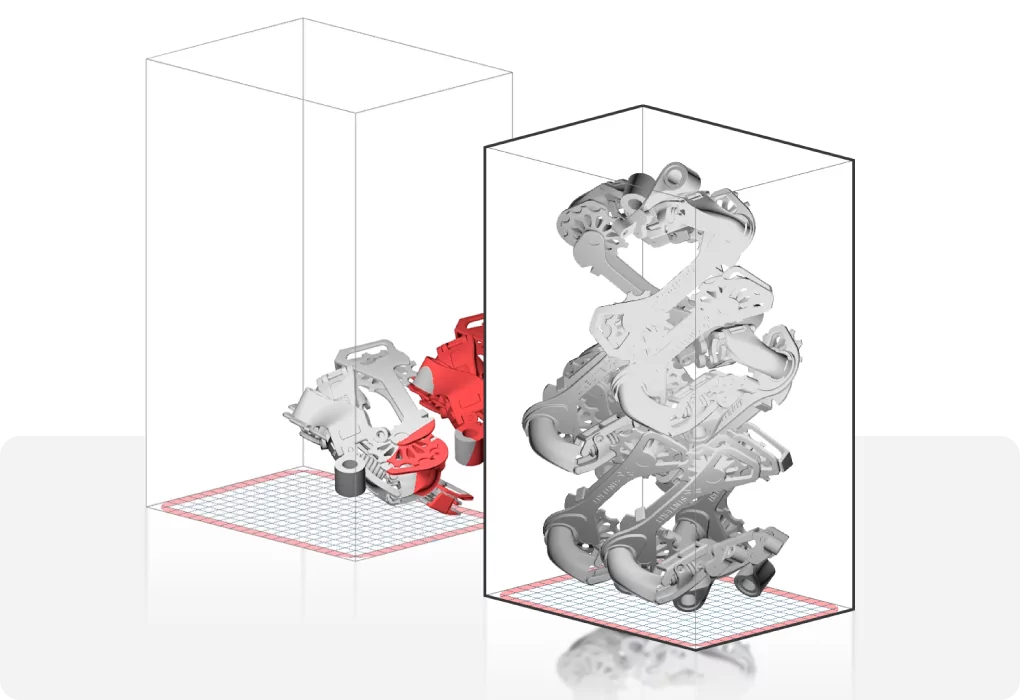
Use this feature to place multiple models with a few clicks and make this stage even faster.
Manage print queues, organize builds, and prepare jobs faster with software designed for everyday manufacturing environments.
Check out the features of our software
Sinterit Studio provides everything needed to prepare and manage SLS prints in a fast, intuitive, and reliable environment.
Whether you are starting your journey with SLS technology or running daily production workflows, the software helps streamline print preparation, optimize build organization, and simplify machine operation.
Built specifically for the Sinterit ecosystem, Sinterit Studio ensures smooth communication between software and hardware for a seamless printing experience.
The Sinterit Studio guides you smoothly through the 3D printing process. Find more information about the main steps below.

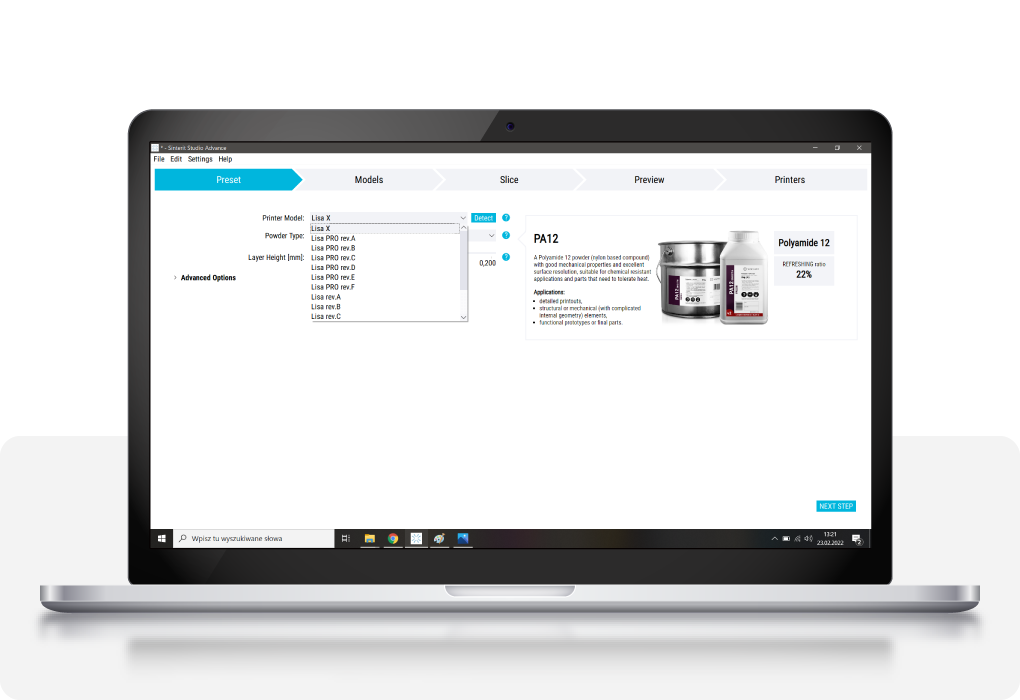
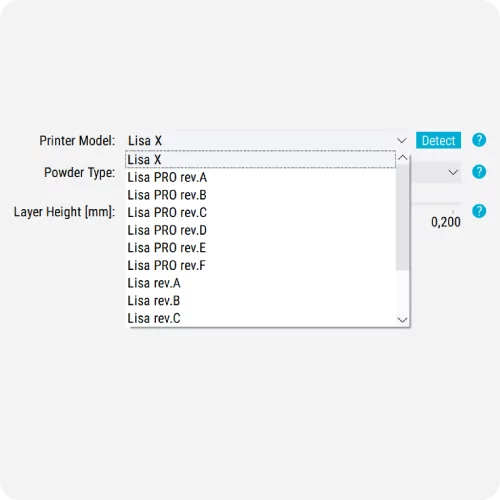
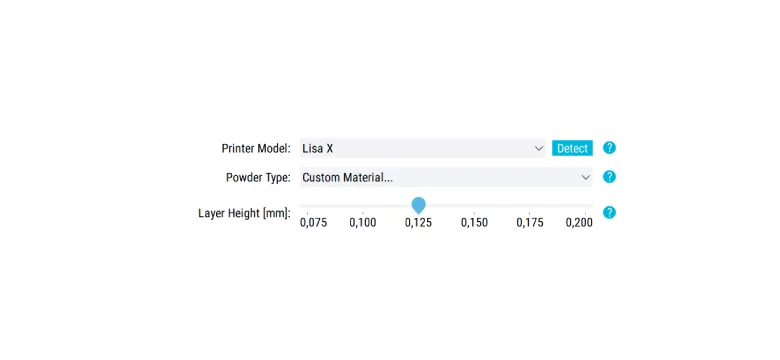
> Choose the printer and its correct revision.
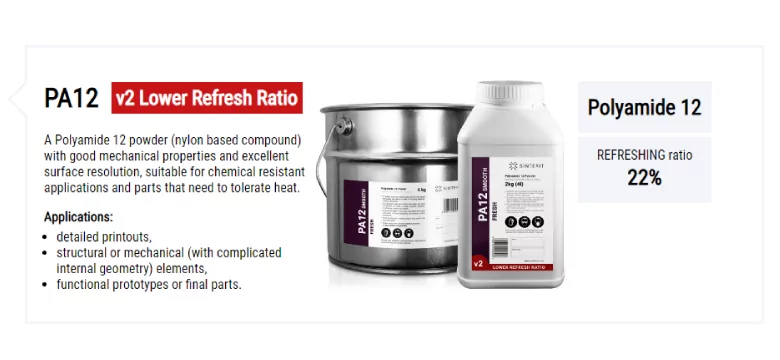
> Find the powder you want to use.
> Define the layer height
> Upload your model
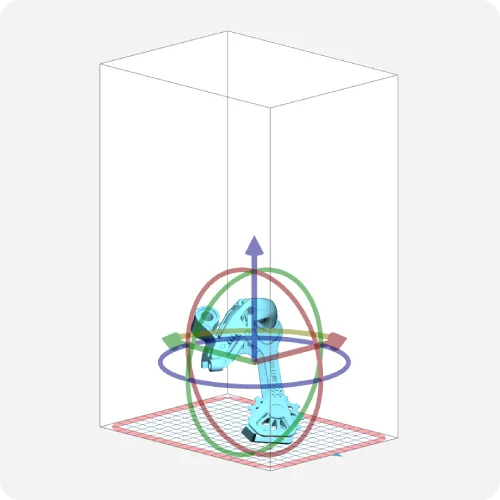
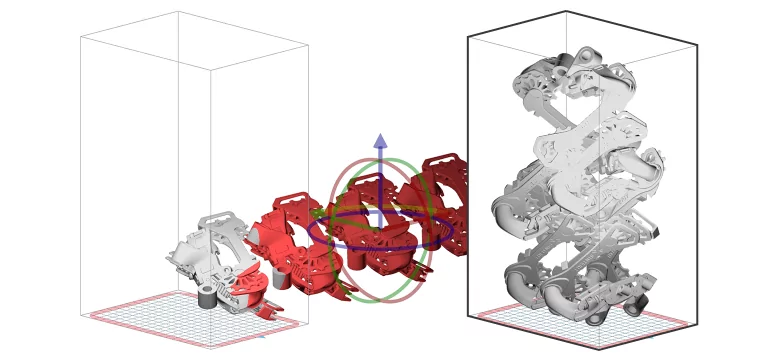
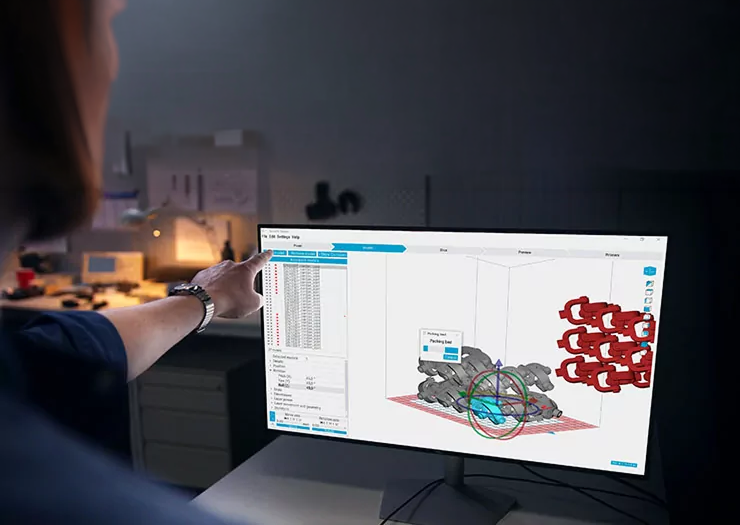
> Find the correct position and orientation for the model
> Slice your models
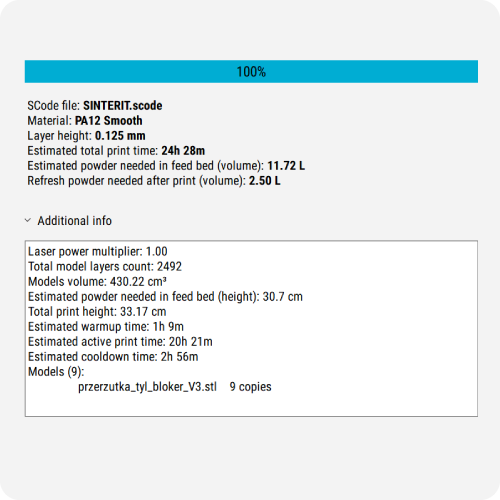
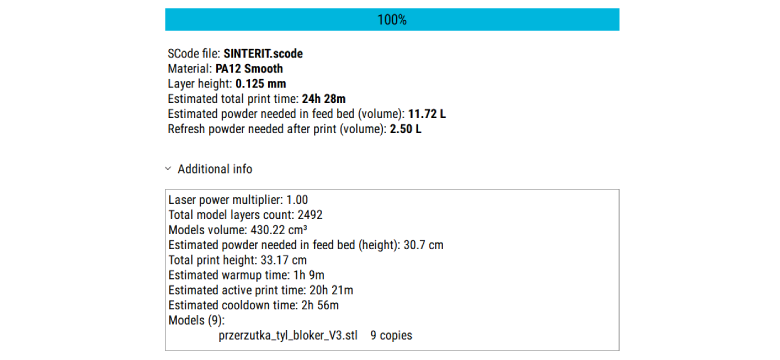
> See printing details
> Track printing process layer by layer
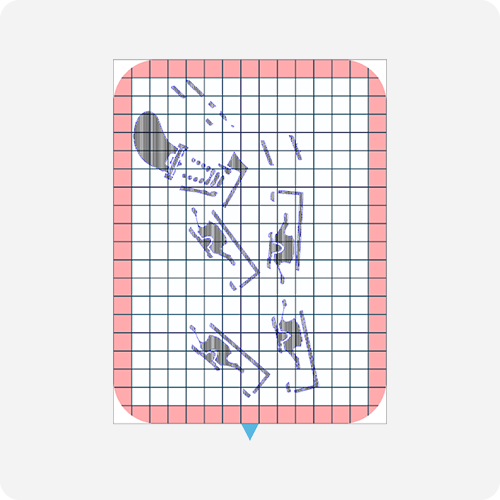
Thanks to the auto-nesting functionality, it’s now possible to automatically and optimally distribute the desired elements within the printer’s chamber.
Slicing lets you transform uploaded models into layers so the printer can have clear instructions for how to print. You can also view all layers before starting the print.
All Sinterit materials compatibile with the printers have already set printing parameters so you can simply upload models, slice them and send them to the printer.
Depending on the design, you may need to adjust the layer height. This impacts precision a little but can be useful when you need prints faster. Other solutions often allow you to only use only a pre-defined layer height.
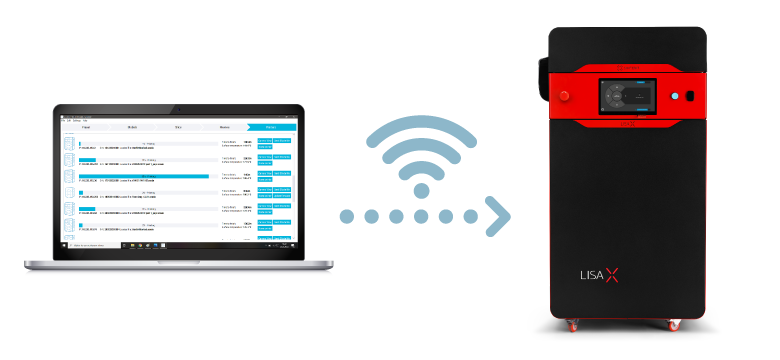
Pair your software with machines. Then, if you want to send models directly to the printer, all you need to do is choose the correct printer in the preset section. Send files is a snap.
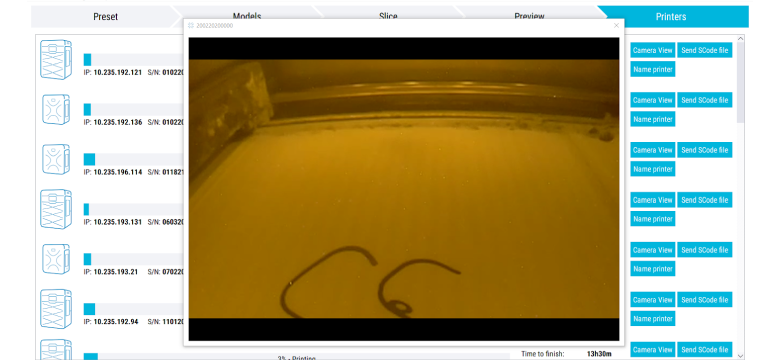
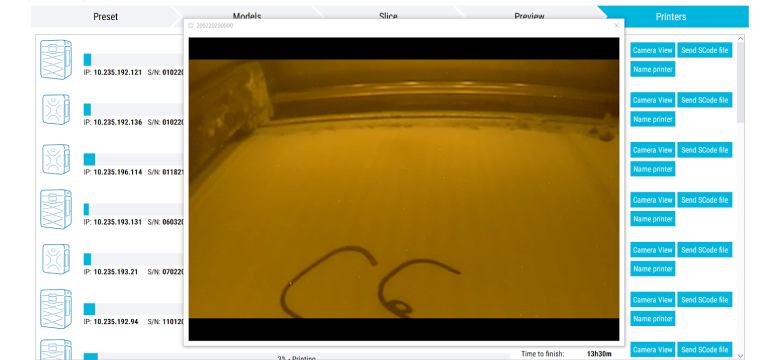
All information about printing status and printers is visible in the Printers section.
Unlock 56 editable process parameters, giving you greater control over printing temperature, warm-up and cool-down behavior, laser power, laser movement, model scaling, and many more.
Designed for users who want to optimize print quality, improve process consistency, and gain deeper control over SLS production workflows.
Gain access to the complete set of 137 editable parameters and work with one of the most open SLS systems available on the market today.
Built for advanced engineering, material development, experimental workflows, and full process customization.
 Lisa X only
The license for Sinterit Studio is only for one device. 1 license = 1 device
You will find information on how long each stage will take in the Slice tab after slicing the project.
You will find information on how much powder to add for refreshing in three sections: the Slice tab after slicing the project, the printer’s touchscreen when you upload the project, or the section System info after the print process.
To get access to the paid version of software – Sinterit Studio Advanced – you need to register your printer. You will find the appropriate form in the support section. After registration you will receive an email with your license key and activation files.
Sinterit Studio has all the functionality needed for printing using basic Sinterit powders. On the other hand, Sinterit Studio Advanced allows setting 56 open parameters. These enable experimenting with printing settings and materials from other companies. Studio ADVANCED unlocks open parameters for expert users—like custom powder profiles, fine-tuned laser settings, and full control over heating, cooling, and motion strategies—ideal for R&D and engineering environments.
Sinterit Studio is dedicated software that simplifies the entire 3D printing workflow—from preparing models to sending files to the printer. It ensures high-quality results with less effort and offers features tailored specifically to Sinterit SLS printers.
Yes! The interface is intuitive and guides you step by step—choose your printer and material, load models, arrange them, slice, preview, and print. No advanced skills are required to get started.
Yes. If your printer is connected to Wi-Fi, Sinterit Studio lets you track the print progress and view real-time footage using the built-in camera feature (Lisa X).
Absolutely. Features like auto-nesting and refresh rate calculation help arrange models efficiently and minimize powder waste, saving time and money.
Yes. Sinterit Studio supports a wide range of powders. Once you select your printer model, it displays compatible materials and optimized settings. With the ADVANCED version, you can even create custom material profiles.
It includes intelligent tools like model collision detection, optimal part orientation suggestions, shrinkage compensation, and detailed laser parameter tuning to boost both print precision and part strength.
Yes—thanks to tools like auto-nesting and duplicate model grids, you can populate the print bed in seconds instead of manually placing each part.
Definitely. You can view each layer in both 2D and 3D to make sure everything looks right before sending it to the printer. There’s even a playback feature to simulate the print layer by layer.
Sinterit Studio Advanced gives users access to 56 editable process parameters, allowing greater control over key printing settings such as temperature, warm-up and cool-down behavior, laser power, laser movement, model scaling, and skeletons for enhanced fine details.
Sinterit Studio Ultimate goes much further, unlocking the complete set of 137 editable parameters. Designed as a Material Development Suite for SLS, it gives engineers, R&D teams, and material developers one of the most open SLS systems available on the market for advanced process customization, third-party material development, and experimental workflows.
Ultimate also includes extensive technical documentation prepared by an experienced Application & Powder Development Engineer, providing valuable know-how and practical guidance on how to work with advanced parameters and fully leverage the enormous capabilities of the software.
Yes. You can contact Sinterit support directly via email or phone, and there’s a dedicated website section with manuals, updates, and helpful materials: https://sinterit.com/support/.
Check out the features of our software
Sinterit Studio provides everything needed to prepare and manage SLS prints in a fast, intuitive, and reliable environment.
Whether you are starting your journey with SLS technology or running daily production workflows, the software helps streamline print preparation, optimize build organization, and simplify machine operation.
Built specifically for the Sinterit ecosystem, Sinterit Studio ensures smooth communication between software and hardware for a seamless printing experience.
Need a 3D Printer tailored for this purpose?

Your concerns may include costs, ROI, customer support, print quality, or printing speed. We have helped thousands of companies make the right choice.
Need your 3D model
turned into a real part?
Need SLS
3D printed parts?
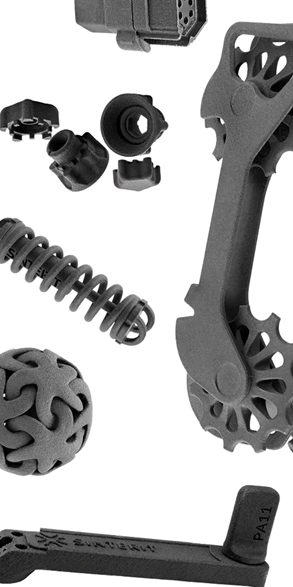
Send us your 3D model. We’ll handle the SLS printing and deliver ready-made parts.
 Best prices on the market
 Fast order processing
 Handled by 3D SLS experts
 Wide range of materials
 Worldwide shipping
Send us your model and get a quote.
Need SLS
3D printed parts?
Send us your 3D model. We’ll handle the SLS printing and deliver ready-made parts.
Best prices on the market
Fast order processing
Handled by 3D SLS experts
Wide range of materials
Worldwide shippingSend us your model and get a quote.
 Austria
  Bosnia and Herzegovina
  Bulgaria
  Croatia
  Czech Republic
  Denmark
  Estonia
  Finland
  France
  Germany
  Greece
  Hungary
  Ireland
  Italy
Italy  Latvia
  Lithuania
  Poland
  Portugal
  Romania
  Slovakia
  Slovenia
  Spain
Spain  Sweden
  Switzerland
  United Kingdom
  Ukraine
  China
China  Hong Kong
  India
India  Israel
  Japan
Japan  Malaysia
  Philippines
  Saudi Arabia
  South Korea
  Taiwan
  Thailand
  Turkey
  United Arab Emirates
  Egypt
Egypt  South Africa
  Tunisia
  Canada
  Mexico
  United States
  Brasil
  Colombia
  Australia
  New Zealand