Austria
  Bosnia and Herzegovina
  Bulgaria
  Croatia
  Czech Republic
  Denmark
  Estonia
  Finland
  France
  Germany
  Greece
  Hungary
  Ireland
  Italy
Italy  Latvia
  Lithuania
  Poland
  Portugal
  Romania
  Slovakia
  Slovenia
  Spain
Spain  Sweden
  Switzerland
  United Kingdom
  Ukraine
  China
China  Hong Kong
  India
India  Israel
  Japan
Japan  Malaysia
  Philippines
  Saudi Arabia
  South Korea
  Taiwan
  Thailand
  Turkey
  United Arab Emirates
  Egypt
Egypt  South Africa
  Tunisia
  Canada
  Mexico
  United States
  Brasil
  Colombia
  Australia
  New Zealand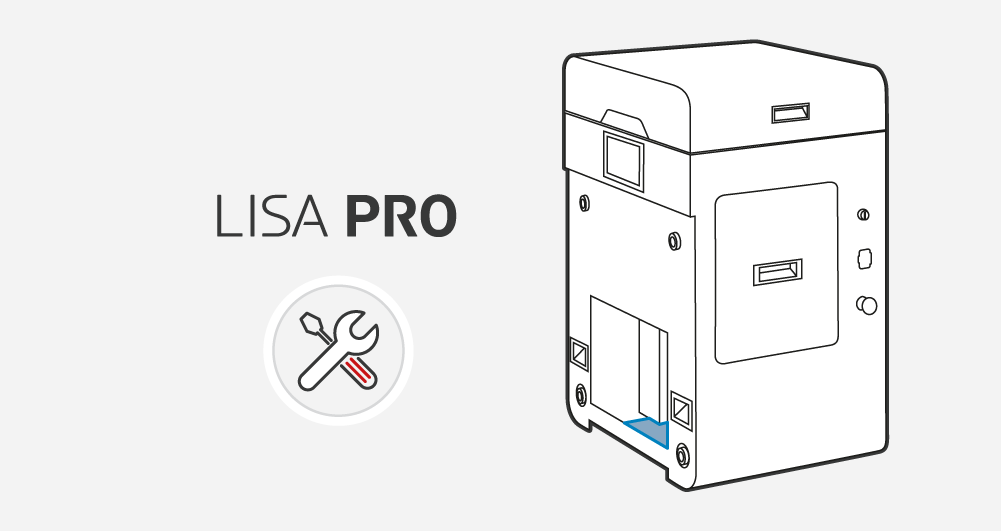
Cleaning of the space under the Beds – Lisa PRO
- Turn off the printer and unplug the Power cable.
- Put on face and hand protection.
- Lift the Removeable Front Panel gently.
- When gripping the Removeable Front Panel from underneath, unfastening each of four Magnetic fasteners one after another. Look out! It’s heavy!
- After removing, put the Removeable Front Panel on a flat, safe surface.
- Gently remove the powder from the Service area under BEDs using a brush or Sinterit ATEX Vacuum Cleaner, minding the Beds stepper motors.
- Install the panel. Holding the Removable Front Panel parallel to the printer, mount it using the four Magnetic fasteners at the front. Begin with the upper Magnetic fasteners and then mount the lower ones.
- After installing the Removeable Front Panel, check that each of the four Magnetic fasteners is connected (pull gently towards you).
- Now turn on the printer.